ما الجديد

واكب أحدث الإصدارات والتحسينات والإصلاحات.

متابعة @NotionHQ
3.6

Notion 3.6: External Agents, HTML blocks, and more

Your agents shouldn’t be stuck in one-off chats. Now you can bring multiple agents into a single UI with the rest of your team, so you can automate entire workflows end-to-end.

And there’s a lot more. AI Meeting Notes now include speaker labels (a top request!), your Notion Agents can read and write more filetypes like Excel and PowerPoint, and you can build interactive HTML blocks, like an ROI calculator.

Orchestrate External Agents (Claude, Cursor, and more soon)

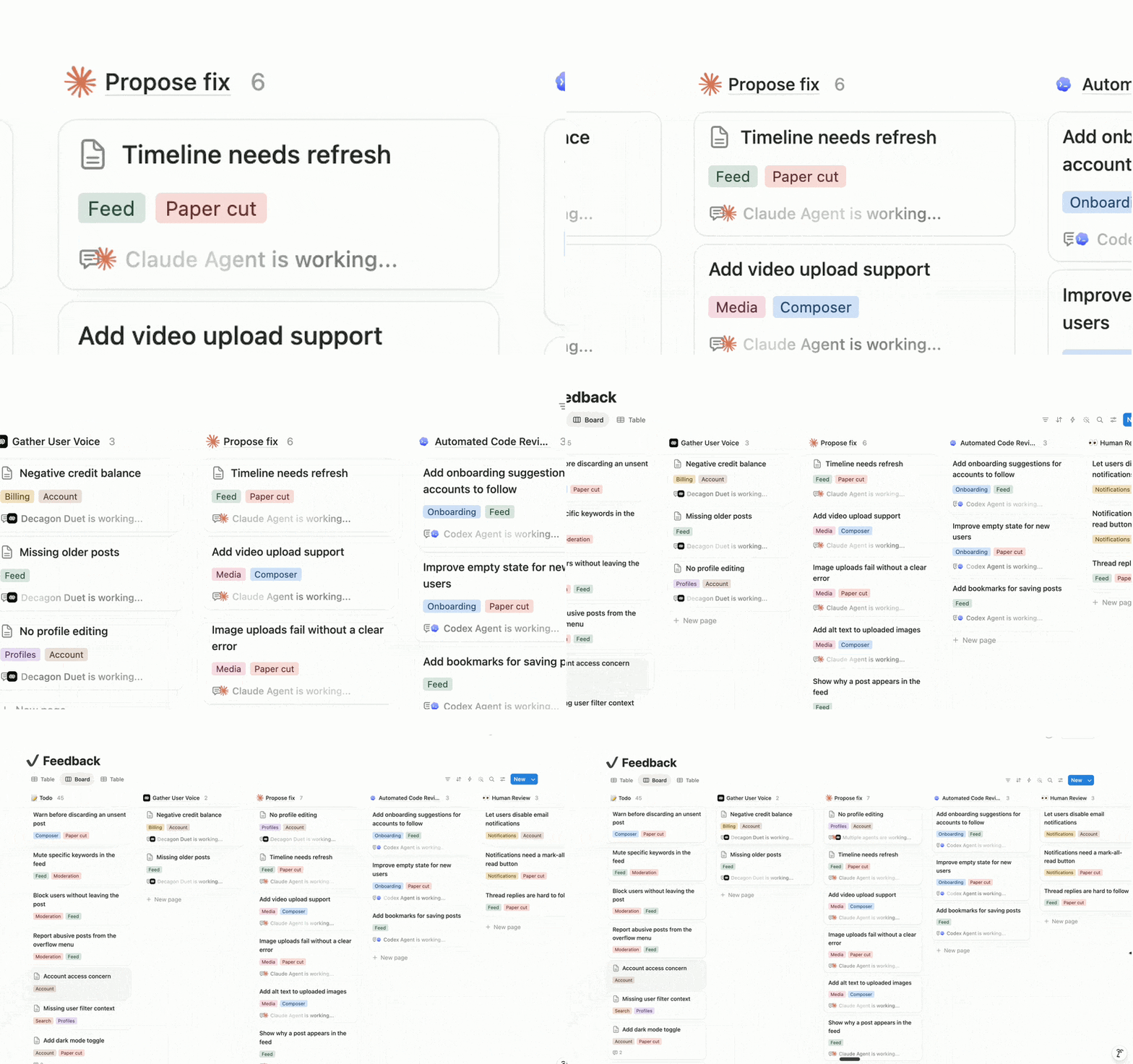
Some of your agents might live in CLIs, IDEs, and separate apps, doing solo work the rest of the team can’t see or build on. Now you can assign them tasks from a board shared with your whole team, @-mention them like teammates, and watch them run.

Claude and Cursor are the first two External Agents in Notion. That means you can reimagine entire end-to-end processes with full automation, right alongside the rest of your team’s work.

Smarter meeting summaries with speaker labels

AI Meeting Notes now identifies speakers in your meetings, based on whose microphone is active. This improves meeting summaries and makes sure follow-ups are assigned to the right teammate. And this is just the beginning; we’ll keep making speaker identification even better!

Add interactive HTML blocks to your Notion docs
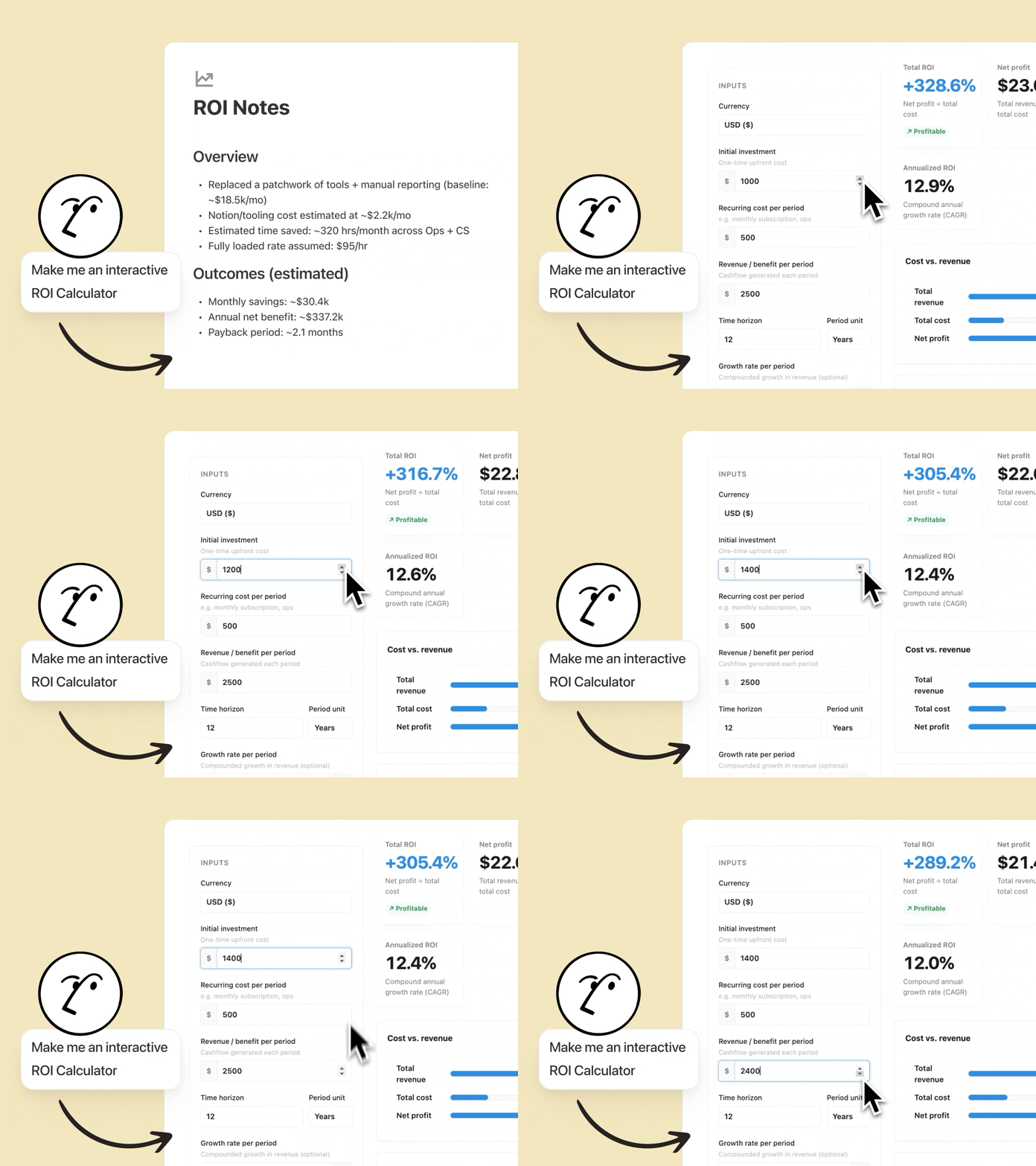
Notion Agents can now create interactive HTML blocks, and we can’t stop tinkering with them. The best part is that they live in Notion, so anyone on your team can use them or iterate on them. Some examples we love:

  • Build a ROI calculator: Watch your customers’ eyes light up when they see how much they’ll save by using your solution. Customize it with details like their industry or current tool stack.

  • Quiz your teammates: Turn a doc about your latest feature into an interactive quiz your team will remember. Your Agent will identify what matters, create relevant questions, and score results at the end.

  • Map your org chart: Visualize your people database as an org chart so new hires onboard faster and cross-functional work gets done. Do it directly in Notion, with no need to open another tool.

Your Notion Agents now speak Microsoft

Your Notion Agents now work with PPTX, XLSX, DOCX, and more. Give your agents context by attaching spreadsheets, decks, Word docs, and PDFs—your agent reads them like any other source.

And your agents can create these files for you too: turn a page into a polished PowerPoint, spin a database into an Excel model, or summarize a pile of PDFs into one clean doc. Your legal and finance teams will thank you. Notion 🤝 Microsoft.

Your agent can use Outlook for you

Another nice one for our Microsoft shops. Connect Outlook Mail and Calendar and your Notion Agents can run your inbox and your schedule for you. Triage incoming email, draft replies in your voice, and send messages; all you have to do is ask.

Your agent can find open times, schedule meetings, and keep your calendar in order so you spend less time wrangling logistics and more time on the work that matters.

Five new MCP connections for Custom Agents

People are loving Notion MCP—usage has 10×’d in the past month. Now your Custom Agents get five more connections out of the box: Mercury, Mixpanel, Miro, Box, and ClickHouse.

They join the connections already available (like Figma, GitHub, Zapier), so your agents can pull financial data from Mercury, dig into product analytics in Mixpanel, or update a Miro board, all with no custom setup required. Find and connect every available integration from the new connections tab in your settings.

More models, without the lock-in

Your agents support a fresh lineup of new models, so you can pick the right brain for the job, whether you need speed, deeper reasoning, or a creative spark. Use the latest frontier intelligence from Opus 4.8 or Grok 4.3, or choose a more cost-efficient model like the new open-weight GLM 5.2.

Track Custom Agent actions in the audit log

Your security team now gets more visibility into how AI is being used. The audit log includes Custom Agent activity, so you can see when an agent runs, what it changed, and who triggered it, making it easier to review workflows, troubleshoot issues, and stay compliant. Available on Enterprise.

And a few more …

  • Custom Agents for Slack Enterprise Grid: Custom Agents now work across your full Slack org. Talk to your sales rep or learn more.

  • Notion Workers in the credit dashboard: Find Worker usage in the Notion credits dashboard, so admins can track everything in one place. Learn more →

  • Build Notion Workers on Windows: Windows developers, you’re in. The Notion CLI now installs on Windows through npm, so building and deploying Notion Workers is no longer limited to Mac and Linux. Read the docs →

  • Upload audio to AI Meeting Notes: Bring meetings recorded elsewhere into Notion. Upload an audio file and AI Meeting Notes will transcribe and summarize it like any other meeting.

  • Duplicate custom agents: Found a setup that works? Copy any custom agent in a click and tweak it for a new team or use case—no need to rebuild from scratch.

  • Agents can use your people directory: Now you can give your agents access to your people directory, so they have more context about your team.

Merge cells in simple tables

Finally! Merge cells in simple tables.

Create headers that span multiple columns or group related rows into structured layouts.

Give it a try: select multiple cells → open the cell menu → select Merge cells.

See the announcement on X →

3.5

3.5: Notion Developer Platform

Notion Developer Platform

Notion? For developers? Fair question. It’s true, we haven’t always been the most developer-focused platform. Today that changes.

Introducing: the Notion Developer Platform.

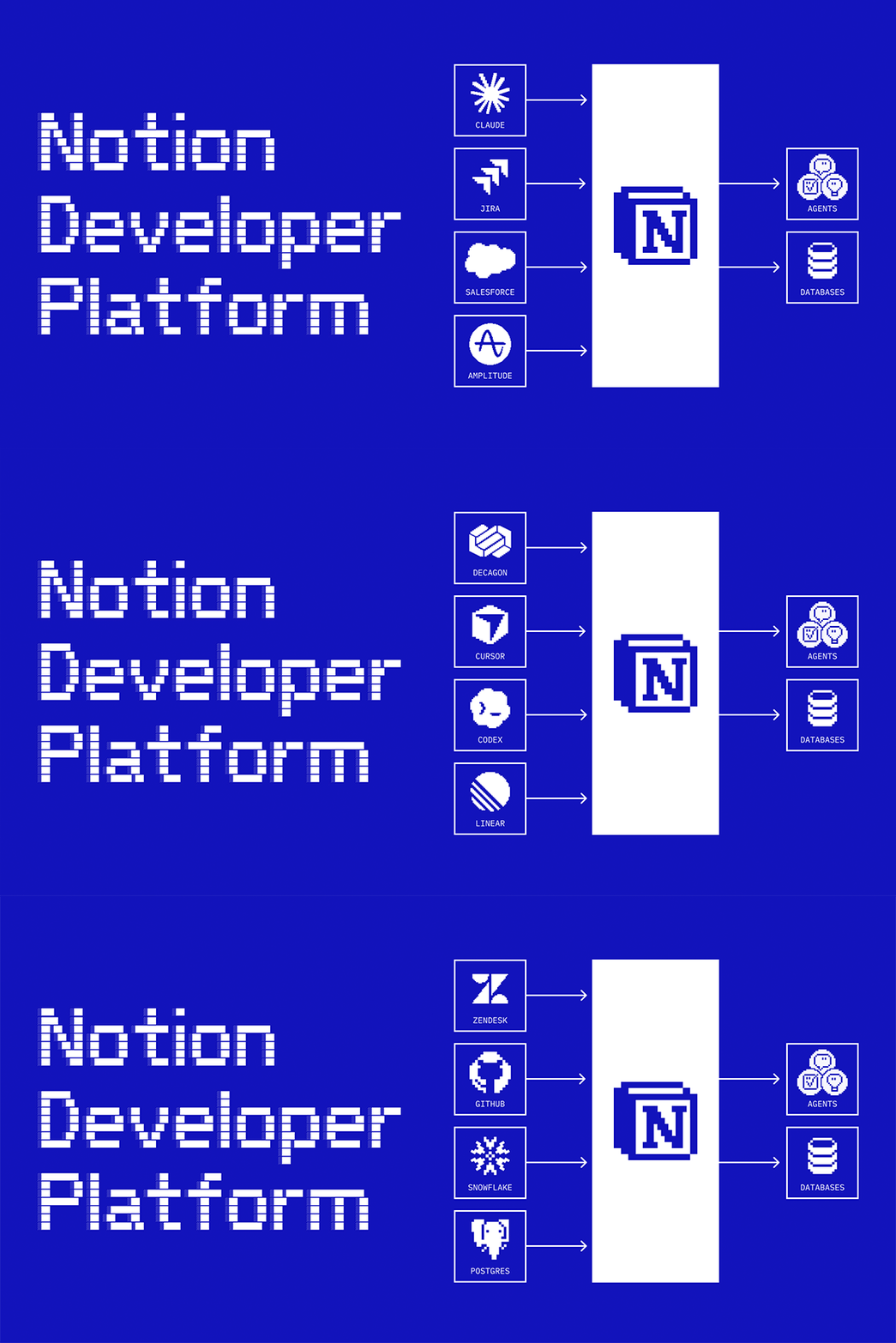
Now you (and your coding agents) can write code to sync any data and build any agent tool, all running on our infrastructure. You can also bring your favorite agents into Notion (like Claude, Codex, Decagon, or ones you’ve built yourself). It turns Notion into one shared canvas with all your data, for your team and agents to work together.

Orchestrate all your team’s agents (Alpha)

Orchestrate all your team’s agents

Bring your favorite agents into Notion with the External Agents API, even the ones you built yourself. We’ve also partnered with Claude, Codex, Decagon, and more so they work out of the box. Now Notion is your orchestration layer: a Decagon ticket routes to your coding agent, which proposes a fix and loops in your team to approve. Anyone can work with agents in Notion, not just engineers. Join the External Agents waitlist →

Notion is our AI layer because it’s where work is created or imagined—and we want our agents as close to the action as possible.

Dan Gilbert
CEO at Brainlabs

Sync any data source (Beta)

Sync any data source

Sync any data source with an API into your Notion databases. No servers for your team to manage. Our new database sync is powered by Workers that run on our infrastructure (more on this below). Pull in tickets from Zendesk so agents can take a first pass on the fix. Sync customer data from Salesforce for agents to build detailed reports. Connect Strava and Spotify data to curate the perfect running playlist. Whatever context you need can now live in Notion. Watch the demo →

Workers give us the tools to build deep integrations into Notion that simply couldn't exist before. We have a worker that runs every night that syncs and converts uneditable PDFs in our Google Drive into rich, fully editable pages in an organized Notion database. It unlocks this data for our team and agents - and saves us tons of time.

Sam Lambert
CEO at PlanetScale

Build custom tools for your agents (Beta)

Build custom tools for your agents

Give your Custom Agents capabilities that Notion and MCP don’t cover on their own. Write your logic in code and deploy it as a Worker. It’s deterministic, so it’s more reliable than LLM reasoning, and a fraction of the token cost. Use them to generate assets, query internal data, or take action in any other app. Read the docs →

I think of Notion Workers as infrastructure: they auto-populate, auto-update, and set up the systems I need.

Austin Tedesco
Head of Growth at Every

Trigger Notion workflows from anywhere (Beta)

Trigger Notion workflows from anywhere

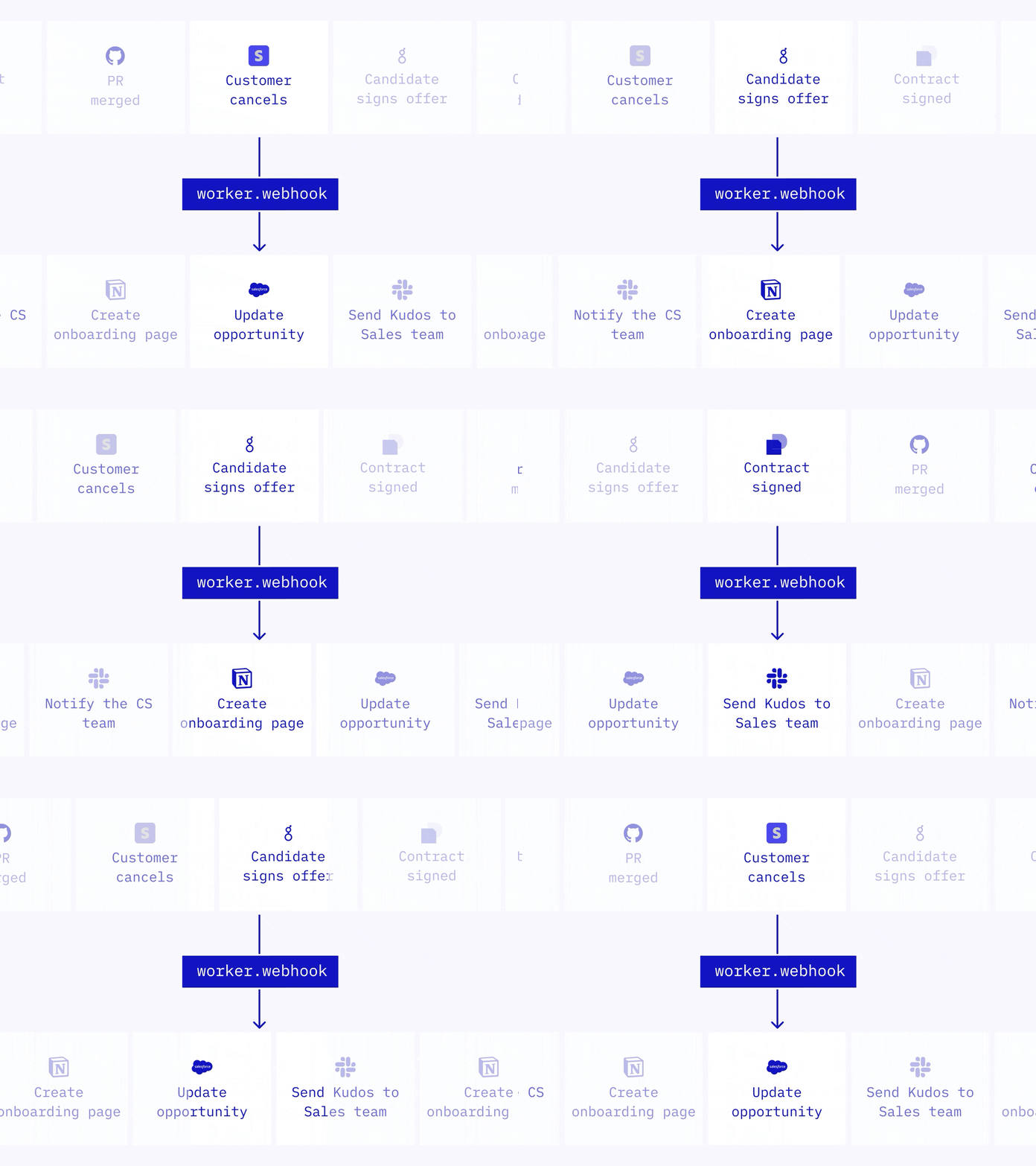
Webhooks used to be a one-way street: Notion could trigger your other apps, but not the other way around. Now any app can trigger Notion directly. A Worker receives the webhook, runs your logic, and takes action in Notion or calls other APIs. Use it to close tasks when a PR merges, update your CRM when a subscription changes, or create an onboarding doc when an offer is signed. Read the docs →

Meet your Notion Workers

Meet your Notion Workers

Database sync, agent tools, and webhook triggers are all powered by a new primitive we’re calling Workers. Notion Workers are our hosted runtime for custom code, so you can extend Notion without running your own servers. You and your coding agent write the code, deploy it through the CLI, and run it in a secure sandbox. Workers are free to try during the beta period. Starting August 11 2026, Workers will run on Notion credits. Read the docs →

Workers let us connect directly to other tools’ APIs and automate what used to be manual handoffs. Notion becomes the connective layer, and Workers fill in whatever gaps exist between your tools.

Brian Emerick
Technical Program Manager at Vercel

A Notion CLI, built for devs and coding agents

A Notion CLI, built for devs and coding agents

The Notion command-line interface (CLI), made specifically for developers and coding agents, is a new way to work with Notion programmatically. Use it to sign in to your workspace, read and take action in Notion, build and deploy Workers, and extend Notion however your team needs. To install, run curl -fsSL https://ntn.dev | bash. Watch the demo →

Use your Notion Agents in any app (Alpha)

Use your Notion Agents in any app

Soon, your Notion Agents won’t have to stay in Notion. With the Notion Agent SDK, you can embed an agent inside your other tools. Trigger a deal report from a button in your CRM. Answer repeat questions inside MS Teams or Discord with verified knowledge from your workspace. Or pull customer context into Amplitude, Hex, or any dashboard. Join the Agent SDK waitlist →

Manage all connections from one tab

Manage all connections from one tab

We’ve updated the Connections tab in workspace settings. Now, every connection lives in one place, so your team can see everything that’s available at a glance. It includes personal and workspace connections, personal access tokens for API authentication, and internal API connections. And each app shows every connection type in one listing. Go to SettingsConnections to check it out (or click here).

Agents “hall of fame”

Agents “hall of fame”

Knowing what agents to build can be the hardest part, so we pulled together the best agents from companies like Ramp, Clay, and Vercel into one library. Each one comes with a checklist of exactly what you need (databases, pages, tools) and a starter prompt to copy/paste. Pick one and set it up in minutes. Browse the collection →

More updates your devs will love

  • Markdown API: ICYMI read and write Notion pages as Markdown. Built for the way agents already think.

  • Notion MCP: Now works with Meeting Notes and block comments, plus creating and updating databases are 91% more token-efficient.

  • Notion API: Any member can build connections (not just Workspace Owners). Plus workspace-scoped OAuth and personal access tokens. See releases →

  • Developer Portal: app.notion.com/developers is now a dedicated portal for creating, managing, and listing your connections and tokens.

  • Developer Docs: Rebuilt and streamlined for clarity with a built-in AI assistant to help you find what you need.

This is just the beginning for the Notion Developer Platform. Any data, any tool, any agent, all running on our infrastructure. We can’t wait to see what you build.

Keep the feedback coming!

Ivan

P.S. We announced all of this and more at Make with Notion: Developer Platform. Watch the keynote →

P.P.S. Curious what teams are already building? See how Every, Brainlabs, and Vercel are using our developer platform in production.

P.P.P.S. One more thing. You can now merge cells in simple tables, just like a spreadsheet. We’re excited about this one too.

Plan Mode

When you ask your agent to make significant changes like rewriting pages or updating databases in bulk, results can drift off course if your intent is unclear. Plan Mode introduces a preliminary step where your agent asks clarifying questions and builds a detailed plan before acting. The result is fewer surprises and more confidence in complex, multi-step work.

Learn more about Plan Mode from the Help Center →

دليل جديد للوكلاء المخصَّصين

أصبح للوكلاء المخصَّصين الآن مساحة خاصة في مكتبتك. استخدم دليل الوكلاء المخصَّصين لاستعراض جميع الوكلاء في مساحة عملك، وتثبيت وكلائك المفضلين، وإنشاء وكلاء جدد لأتمتة الأعمال الروتينية لفريقك على مدار الساعة.

للبدء، انتقل إلى الشريط الجانبي: المكتبةالوكلاء.

New Custom Agent controls for admins

Two months ago, we launched Custom Agents in beta. Since then, teams have created more than a million of them and honestly pushed them further than we expected!

One theme from admins was consistent: as Custom Agents scaled, so did the need for more control and visibility. Your feedback shaped what we built next, so here’s what's new.

Set guardrails before Custom Agents run

Set guardrails before Custom Agents run

Managing who can create Custom Agents and how much each agent is allowed to spend make rollouts easier to manage:

  • Start by choosing who create agents, either individuals or user groups, then expand access over time as you build confidence. You can do this in Settings Notion AI Agents.

  • To keep spend predictable, set per-agent credit limits with agent creators. If you’re on Enterprise and planning a broader rollout, you can also set one workspace-level credit limit that applies to all new and existing agents. Both controls are in your usage dashboard at Settings Notion credits.

Track every agent and spend across your workspace

Track every agent and spend across your workspace

The Notion credits dashboard shows total usage broken down by agent, plus spend trends, status, and recent activity.

If an agent is pacing higher than expected, you can disable it right away in SettingsNotion AIAgents, then work with the creator to adjust it before turning it back on.

If you manage multiple workspaces, you’ll also see a credits dashboard in your admin console to track credit pacing and Custom Agent usage across your organization.

Scale agents with built-in guardrails

A few things happen automatically to keep rollouts predictable even at scale:

  • Get notified by email and in-app as your workspace approaches its credit limit, so you’ve time to plan ahead.

  • If credits run out, all agents pause until you add more, so you won’t get surprise bills.

  • If a new agent starts spending unusually fast, we’ll pause it and notify the creator to review.

  • Members can request a higher credit limit, but nothing goes through without admin approval.

صفحة رئيسية جديدة على الهاتف المحمول

أصبح التنقل في Notion على الهاتف المحمول أسهل بفضل علامة تبويب الصفحة الرئيسية الجديدة. الآن، أصبحت صفحتك الرئيسية ودردشاتك واجتماعاتك وصندوق بريدك الوارد على بعد تمريرة واحدة فقط.

الاطّلاع على الإعلان على X ←

إضافة وكلاء مخصَّصين إلى قنوات Slack الخاصة

يمكن للوكلاء المخصَّصين الآن القراءة والرد في قنوات Slack الخاصة. ابدأ من إعدادات مساحة العمل تحت الإعداداتNotion AIموّصلات الذكاء الاصطناعيتمكين الوصول إلى المحتوى الخاص. يرى الوكلاء المخصصون القنوات الخاصة التي تدعوهم إليها فقط.

تعرّف على المزيد عن موصل الذكاء الاصطناعي في Slack في مركز المساعدة ←

ميزة تجميع البيانات تتوفر الآن بتنسيقات العملة، والنسبة المئوية، والمزيد

Rollups now as currency, percent, and more

تدعم ميزة تجميع البيانات الآن تنسيق الأرقام (مثل الدولار، واليورو، والنسب المئوية، وغيرها) والكسور العشرية. اعرض إجمالي الميزانيات، وأسعار الصرف، والمزيد في ميزة تجميع البيانات دون الحاجة لاستخدام أي معادلات كحلول بديلة.

تعرّف على المزيد عن العلاقات وتجميع البيانات في مركز المساعدة ←

ابحث عن الصفحات بشكل أسرع من مسار التنقل

مرِّر مؤشر الماوس فوق أي عنصر في مسار التنقل لعرض الصفحات التابعة للمستوى نفسه، بما في ذلك الصفحات الموجودة داخل قواعد البيانات. ويُسهل هذا العثور على الصفحات ذات الصلة والتنقل في مساحة عملك.

الاطّلاع على الإعلان على X ←

Powered by Fruition